.png?width=80&height=80&name=Untitled%20design%20(1).png)
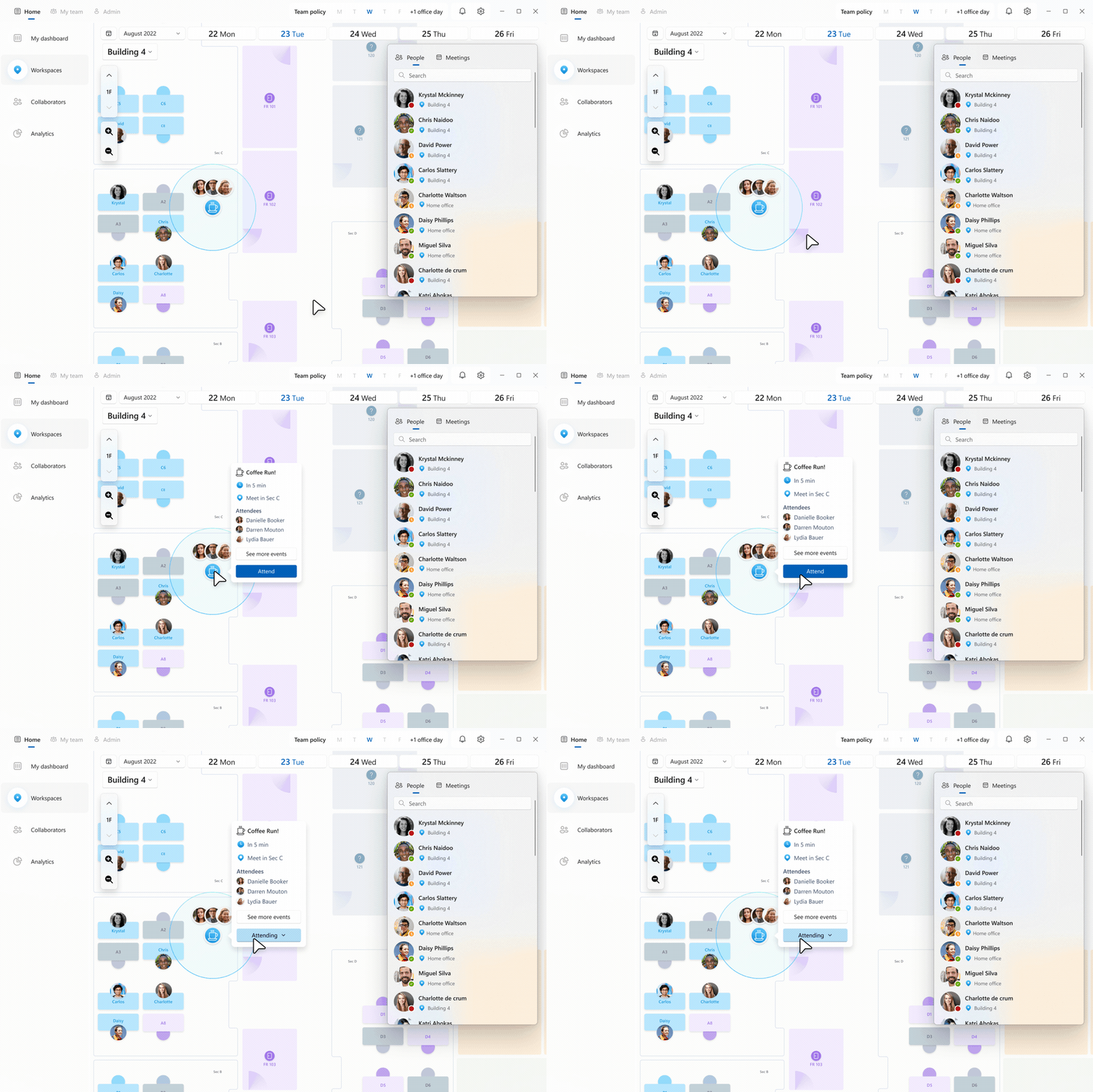
'Microsoft Places vs Space Connect – desk and room booking comparison for hybrid workplaces'
If you're running a hybrid workplace, you've probably already run into the same problem: people show up to the office and can't find a desk. Or they book a meeting room three weeks in advance and no one turns up. Or worse someone has booked six rooms for a team of four 'just in case'.
Space booking software is supposed to fix this. And the two names that keep coming up are Microsoft Places and Space Connect.
One is built into the Microsoft ecosystem you're probably already paying for. The other is a dedicated workspace management platform with a few tricks Microsoft can't match. So which one actually does the job?
Before we get into the detail: if you're also thinking about the AV technology that sits inside those meeting rooms, we've covered the full cost breakdown in our guide to meeting room AV installation costs. That's worth reading alongside this.
What Is Microsoft Places?
Microsoft Places is Microsoft's answer to the hybrid workplace problem. It's embedded directly into Teams and Outlook, so there's no new app to install and no separate login to remember.
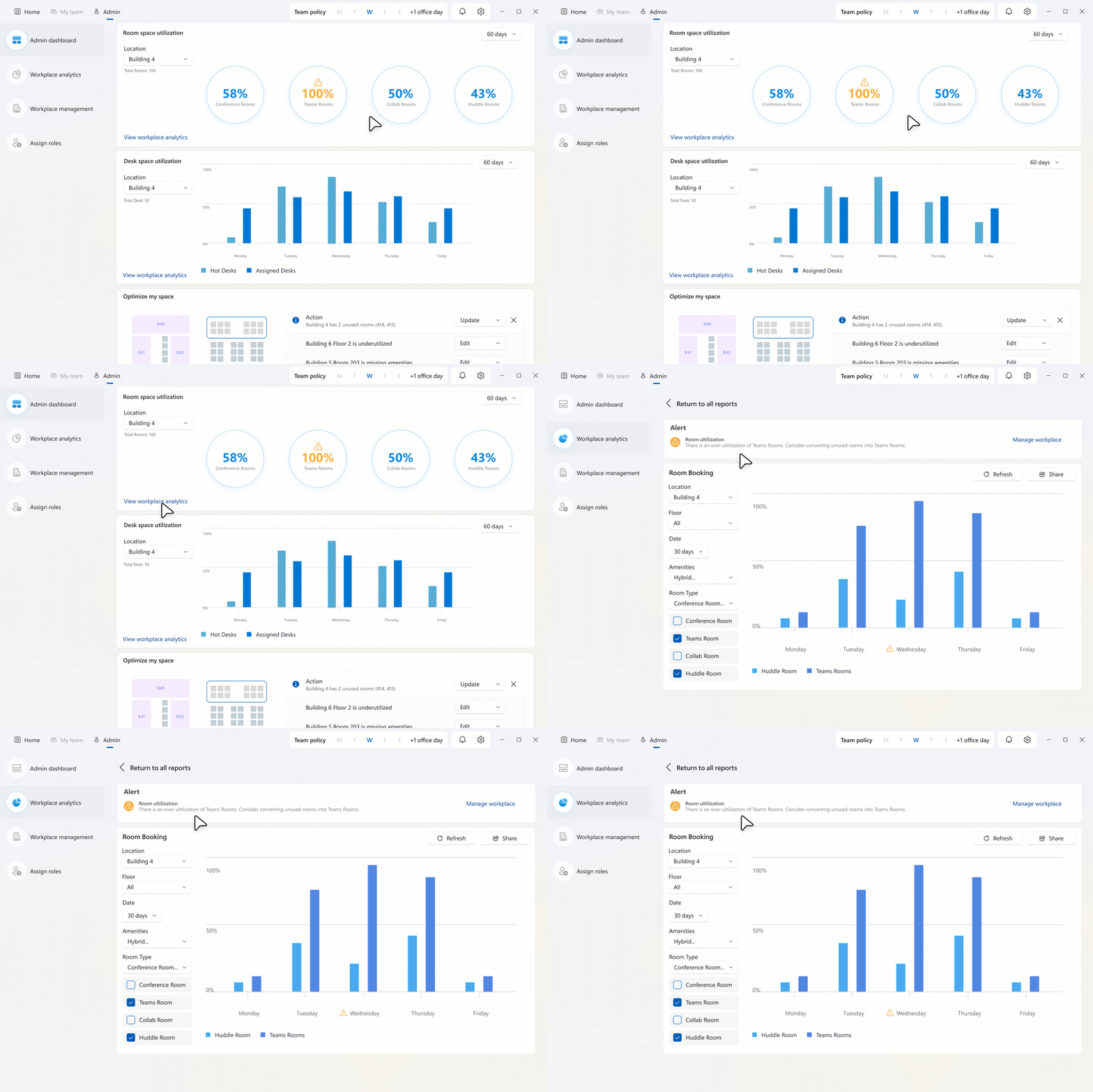
It lets employees set weekly work plans, see when colleagues are planning to come in, book desks and meeting rooms, and view interactive floorplans of the office. For IT teams, it also provides utilisation analytics to show which spaces are actually being used.
The catch? Getting the full feature set has historically required a Teams Premium licence on top of your standard Microsoft 365 subscription. As of April 2026, Microsoft has shifted to a per-space licensing model, end-user features are now available to most M365 users, but advanced capabilities like individual desk booking, auto-release, and full analytics require a Shared Space licence applied at the space level.
If you're already deep in the Microsoft ecosystem, Places is a logical starting point. For organisations running Microsoft Teams Rooms across multiple sites, it integrates naturally with your existing setup.
What Is Space Connect?
|
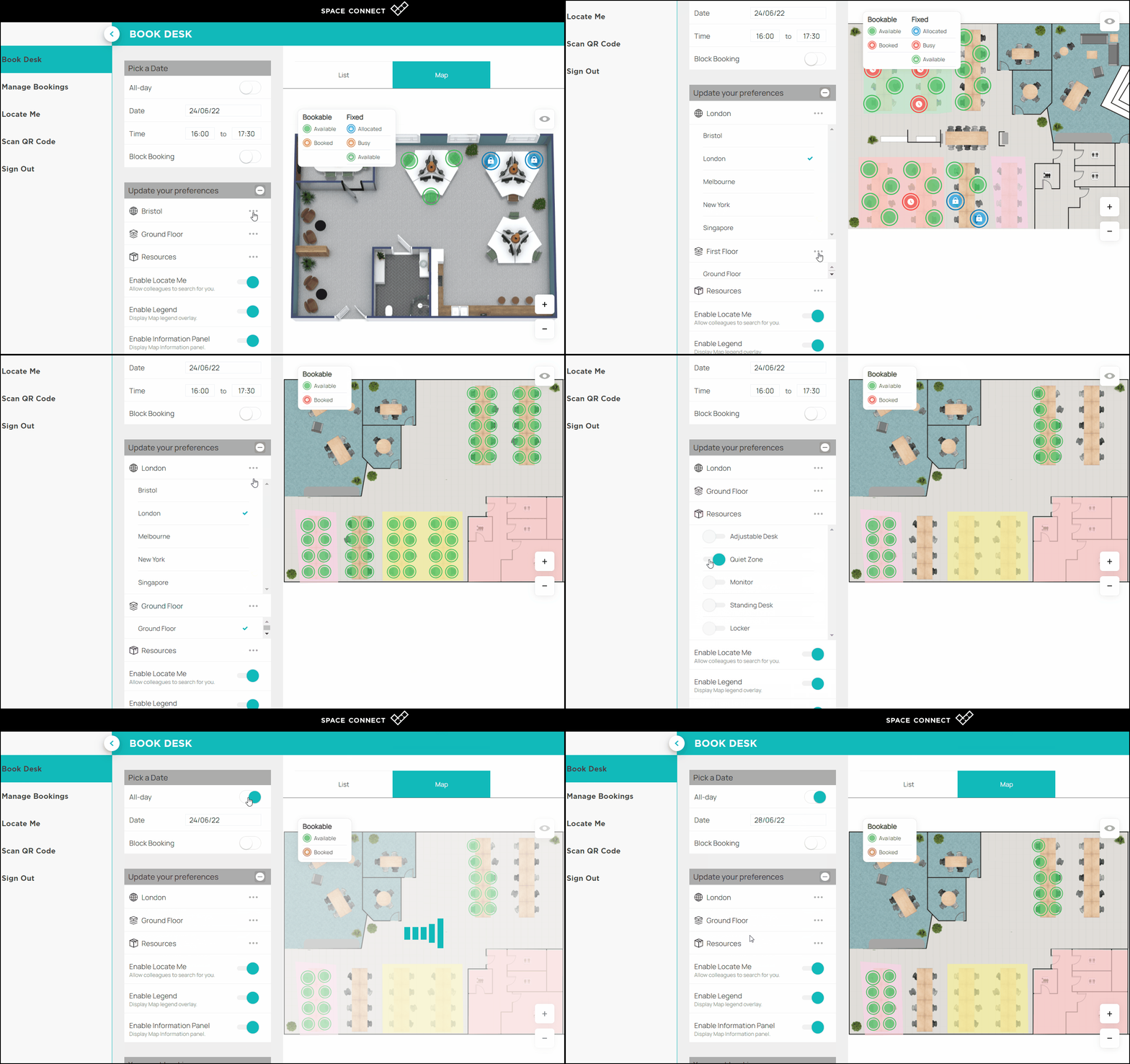
'Space Connect workspace management dashboard with desk and visitor management'
|
Space Connect is a UK-based workspace management platform focused on three core areas: desk booking, meeting room management, and visitor management. It integrates with both Microsoft 365 and Google Workspace, and supports hardware panels from all major vendors.
Unlike Microsoft Places, it's a standalone application. That means it works independently of your calendar platform, and it comes with a dedicated admin portal for facilities managers and IT teams.
Space Connect is particularly well-regarded for its visitor management capabilities, something Microsoft Places doesn't offer at all. If your business has a front desk, regular external visitors, or compliance requirements around site access, this is a meaningful differentiator.
From an AV hardware perspective, Space Connect's panel-agnostic approach means it works alongside whatever room technology you've already deployed, whether that's Logitech, Crestron, Neat, or Yealink. We cover the hardware decision in more depth in our Crestron vs Cisco comparison and our Logitech vs Neat vs Yealink guide.
Microsoft Places vs Space Connect: Feature Comparison
|
Microsoft Places vs Space Connect for enterprise workspace booking'
|
Here's a straight side-by-side of the key features:
|
Feature |
Microsoft Places |
Space Connect |
|
Desk Booking |
Yes – space licence required for individual desks (from April 2026) |
Yes, included in all plans |
|
Meeting Room Booking |
Yes, via Outlook and Teams calendar |
Yes, with room panel display support |
|
Visitor Management |
No |
Yes – built-in VMS included |
|
Interactive Floorplans |
Yes (Places Explorer) |
Yes |
|
Utilisation Analytics |
Yes – space licence required for full reports |
Yes, included |
|
Microsoft 365 Integration |
Native – embedded in Teams and Outlook |
Yes (Outlook add-in) |
|
Google Workspace Support |
No |
Yes |
|
Hardware Panel Support |
Microsoft Teams Rooms panels only |
All major vendors supported |
|
AI-Powered Scheduling |
Yes (requires Microsoft 365 Copilot licence) |
No |
|
Standalone App |
No – embedded in Teams/Outlook/M365 app |
Yes – dedicated web and mobile app |
|
Pricing Model |
Per-space licence from April 2026 |
Per-user or site licence |
|
Visitor Pre-registration |
No |
Yes |
Microsoft Places: The Honest Pros and Cons
The obvious appeal of Microsoft Places is that it lives inside the tools your people already use. There's no adoption friction. If someone is already scheduling meetings in Outlook, the desk booking experience is right there alongside it.
The AI features, when paired with a Copilot licence, are genuinely useful. Copilot can recommend the best days to come in based on who else is planning to be there, manage conflicting bookings, and surface trends in utilisation data.
The limitations are real though. Microsoft Places has no visitor management. It only works properly with new Outlook on Windows and web, not legacy Outlook, which creates a fragmented experience in organisations that haven't fully migrated. The interactive floorplan experience requires IMDF-formatted maps, which takes time and resource to configure properly.
The April 2026 licensing shift to a per-space model is worth understanding before you commit. We've seen clients get caught out by the true cost of licensing at scale, it's the same principle as understanding the full cost of a meeting room AV installation before you sign off a project.
One more thing worth saying: Microsoft Places only became generally available in January 2025. It's improving rapidly, but it's still a relatively young product. If you need a polished, enterprise-ready platform right now, that matters.
Space Connect: The Honest Pros and Cons
Space Connect's strength is breadth. Desk booking, room management, and visitor management in one platform is a genuinely useful combination — particularly for organisations that manage physical security and compliance alongside their space utilisation.
The platform-agnostic approach is another genuine advantage. If you're a Google Workspace shop, or you have a mixed environment, Space Connect works. Microsoft Places doesn't.
Hardware support is also notably better. Space Connect works with all major room panel vendors, whereas Microsoft Places is tied to Teams Rooms hardware. If you've already invested in Crestron, Logitech, or Yealink panels, this matters. See our breakdown of Sennheiser vs Shure for meeting rooms for a sense of how these hardware decisions compound.
The downside is that it's a separate system with a separate login. Adoption requires a deliberate change management effort, which Microsoft Places avoids by being embedded in tools people already use. And Space Connect doesn't have the AI-powered scheduling intelligence that Microsoft is building into Places through Copilot.
Which One Should You Choose?
The honest answer is: it depends on what problem you're actually trying to solve.
Choose Microsoft Places if:
-
You're a Microsoft-first organisation and your people already live in Teams and Outlook
-
You want to minimise the number of third-party tools you're managing
-
AI-powered scheduling and analytics are on your roadmap
-
Visitor management isn't a requirement
Choose Space Connect if:
-
You need visitor management alongside space booking
-
You have a mixed environment (M365 and Google Workspace)
-
You want hardware-agnostic room panels
-
You need a mature, standalone platform without dependency on Microsoft licensing changes
There's also a third option worth considering: using both. Some organisations run Microsoft Places for the Teams and Outlook-native experience and layer in Space Connect for visitor management and room panels. It's not the simplest architecture, but it works.
What About the Technology Inside the Room?

|
'Meeting room AV setup with integrated room booking panel and video conferencing hardware' |
This is the question that doesn't get asked enough.
Space booking software tells you a room is free. It doesn't tell you whether the screen, camera, audio, and wireless presentation system will actually work when people walk in.
We manage AV technology across more than 1,500 meeting rooms for enterprise clients across the UK, Europe, and the US. The pattern we see constantly: organisations deploy a booking system, book out the rooms, and then discover half the technology is broken or misconfigured. That's what our SPORTrack remote monitoring platform is designed to solve real-time visibility of every room, every piece of kit, before the problem becomes a support ticket.
If your rooms aren't being managed proactively, you're dealing with wasted bookings, tech failures, and a hybrid workplace that looks good on paper but doesn't work in practice. You can read more about how proactive monitoring compares to reactive support in our guide to AV managed services.
And if you want to understand the true cost of equipping those meeting rooms in the first place, hardware, installation, and ongoing support, you can get an instant estimate using our AV pricing tool.
Final Verdict
Microsoft Places is the right call if Microsoft is your world. It's improving fast, the pricing model is becoming more accessible, and the Copilot integration is a genuine differentiator for organisations that want AI-assisted scheduling.
Space Connect is the right call if you need a platform-agnostic, feature-complete workspace management solution today, particularly if visitor management or hardware flexibility is a priority.
Neither platform solves your meeting room AV problems on its own. That's a separate layer and it's one that directly affects whether your bookings translate into meetings that actually work.